
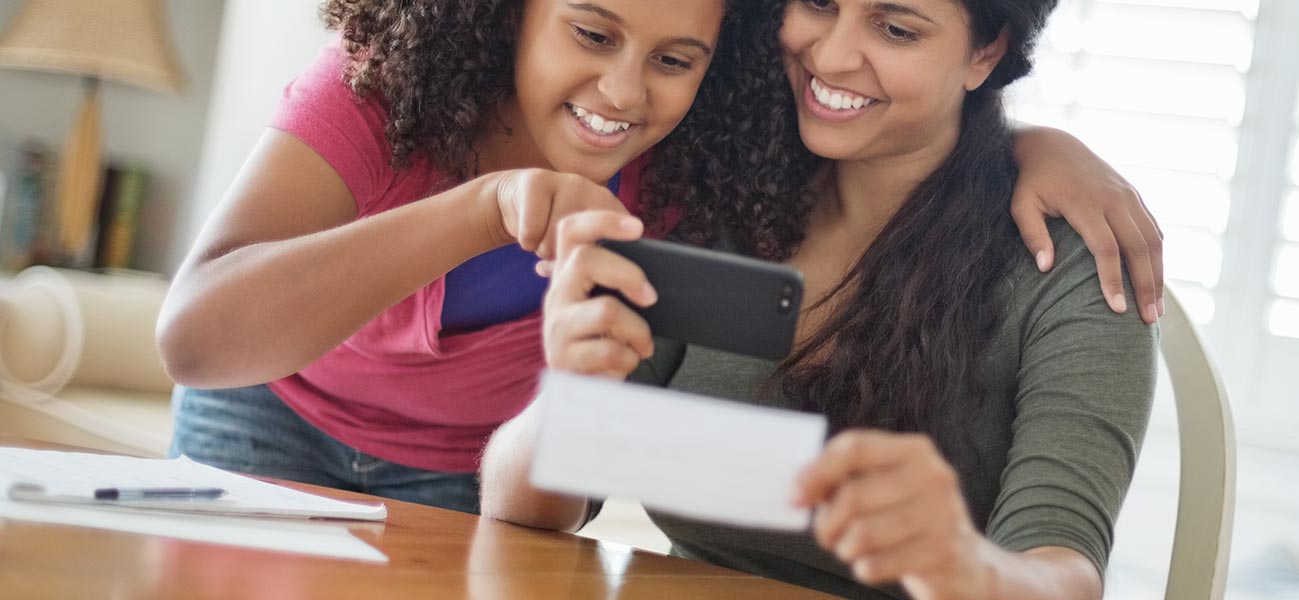
Banking at Your Convenience!
Woodforest Mobile Deposit is a secure and easy way to deposit a check from virtually anywhere, anytime! You'll need to be enrolled in Woodforest Online Services and have the Woodforest Mobile Banking App installed on your iPhone® or AndroidTM. Enjoy the flexibility and security of depositing a check without driving to a branch. It's as easy as taking a picture!
- Flexible
Use Woodforest Mobile Deposit to deposit checks on your time, at your place. Woodforest Mobile Deposit is available 24/7, providing the convenience to deposit checks on your schedule. No lines. No deposit slips. No need to drive to the bank. No problem!
- Easy
With Woodforest Mobile Deposit, depositing a check is as easy as 1 - 2 - 3!
For full instructions on how to send a Mobile Deposit, please see our User Guide.
Best Practices for a Successful Mobile Deposit
- Ensure your check is properly filled out and is legible. Endorse your check before taking the photos.
- Make sure the entire check is displayed in the camera box; position your mobile device's camera directly over the check to capture a clear image.
Important: Ensure you take a picture of the entire check, both the front and the back. Partial check images will automatically be rejected by the system.
- When taking a picture of the check, place the check on a dark, non-reflective surface and flatten out the check.
- Preview the photo. If it is blurry or not legible, retake the photo.
- Once you have submitted the check for deposit, write "Mobile Deposit on [date of deposit]" on the memo line of the check.
- Retain the check until you have received confirmation that it has been approved and processed. At that time you may destroy it; shredding is a secure way to dispose of a check.
Banking On The Go
Bank anytime, anywhere with our Mobile Banking App.1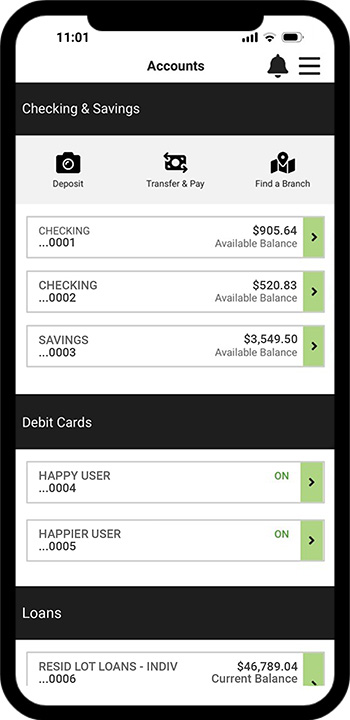
Manage Your Accounts
View balances, transactions, eStatements, set up account alerts, and more!
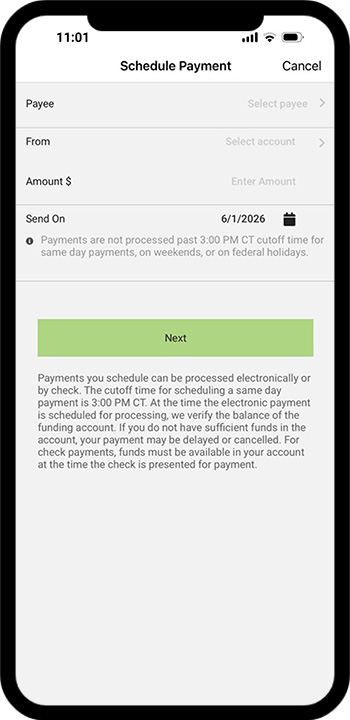
Pay Your Bills
Pay your bills, view payment history, and more.
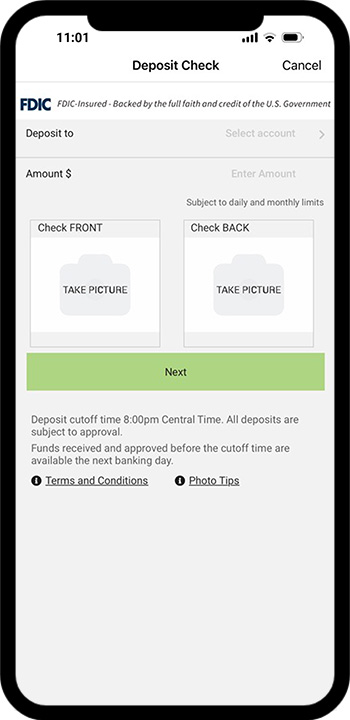
Mobile Deposit
Deposit checks at your convenience using your mobile phone! It's as easy as taking a photo!
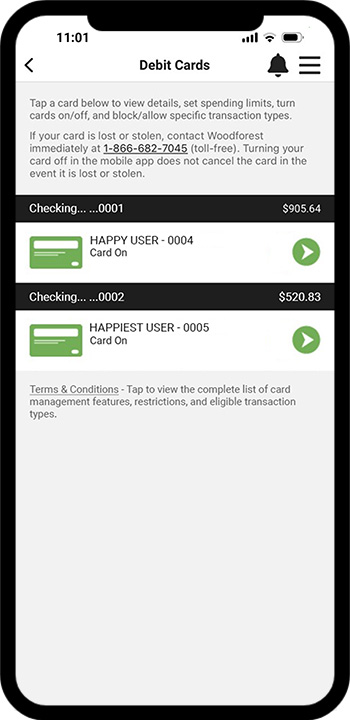
Debit Card Management
Control when, where, and how your Woodforest Debit Card is being used.
Ready to start banking on the go? Download the Woodforest Mobile Banking App today!1


You must be enrolled in Woodforest Online Banking to access your account on our Mobile Banking App.1
Data rates may apply. See carrier for details.
Frequently Asked Questions
Woodforest Mobile Deposit is a service that allows customers to take a picture of a check with a camera-enabled mobile device and send the image electronically to Woodforest National Bank for deposit into an eligible Woodforest National Bank account.
 |
How to Deposit a Check in Mobile Banking |
You must download the Woodforest Mobile app to your iPhone® or AndroidTM device and be enrolled in Woodforest Online Services.
To use Woodforest Mobile Deposit:
- Download the Woodforest Mobile app to your iPhone® or AndroidTM device.
- Log into Woodforest Mobile using your Woodforest Online Services user ID and password.
- Select Deposits from the menu or from the toolbar.
- Accept the terms and conditions the first time you use Mobile Deposit.
- Select the account into which you wish to deposit the check.
- Enter the amount of the check.
- Sign the back of the check to endorse it.
- Enter "For deposit only into Woodforest Account _________" and add the account number.
- Take pictures of the front and back of the check.
- Submit the deposit.
|
How to Deposit a Check in Mobile Banking |
At this time iPhone® and AndroidTM devices are able to use Woodforest Mobile Deposit.
Deposits may be submitted at anytime. Only one check may be included in each deposit.
A Mobile Deposit may be made anytime, however, any deposits received and approved after 8:00pm CT will generally be available the second banking day after the deposit.
No, there is no extra charge to use Mobile Deposit; however, message and data rates may apply as set by your service provider.
There is no limit to the number of checks that may be deposited in one day as long as the daily amount limit is not exceeded.
Notifications should be received within 24 hours, depending on when a deposit was submitted. Generally, you should expect a response within 3 to 4 hours between 8:00am CT and 8:00pm CT. All deposits will be reviewed prior to 8:00pm CT each night to ensure you will receive credit during the evening's processing.
Write "Mobile Deposited on [date of deposit]" on the memo line of the check. Retain the check until it has been approved and processed. You may destroy the check at that time; shredding is a secure way of disposing of a check.
Visit your local branch for assistance. If you have more than two (2) checks returned, your ability to use Mobile Deposit will be disabled for 90 days.
The transaction line item will state Mobile Deposit. You may view your Mobile Deposit History on the Online Services Transfers page.


Additional Personal Banking Benefits
(1) Data rates may apply. See carrier for details.

DISCLOSURE
DISCLOSURE
(1) Data rates may apply. See carrier for details.